Noticed something that needs updating in a protocol? With Incision Assist, you can easily request changes to ensure all information stays accurate and up to date. Keeping the platform current is essential so you always have the most relevant information to prepare perfectly for every case.
At the bottom of each page within a protocol, you'll find the Suggest Improvement button. Use this button to submit any updates or improvements, such as:
A specialist's updated preference
A change in the OR setup
A mistake or bug in the app.
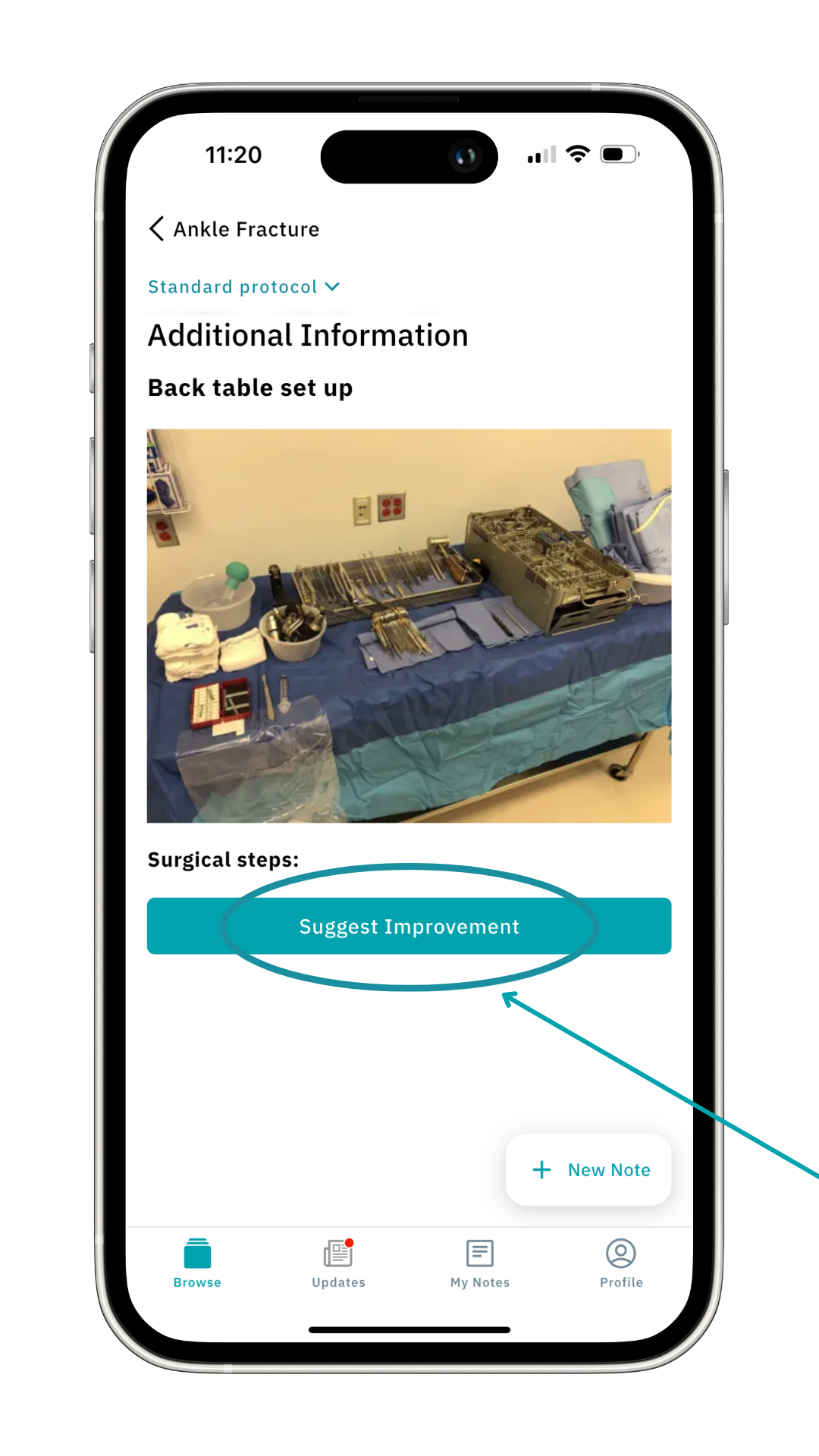
How it works:
- Tap 'Suggest Improvement'
- Describe your change/feedback
- Choose a topic: 'Protocol content', 'Technical issue with the app', or 'Something else'.
- Click on 'Send feedback'.
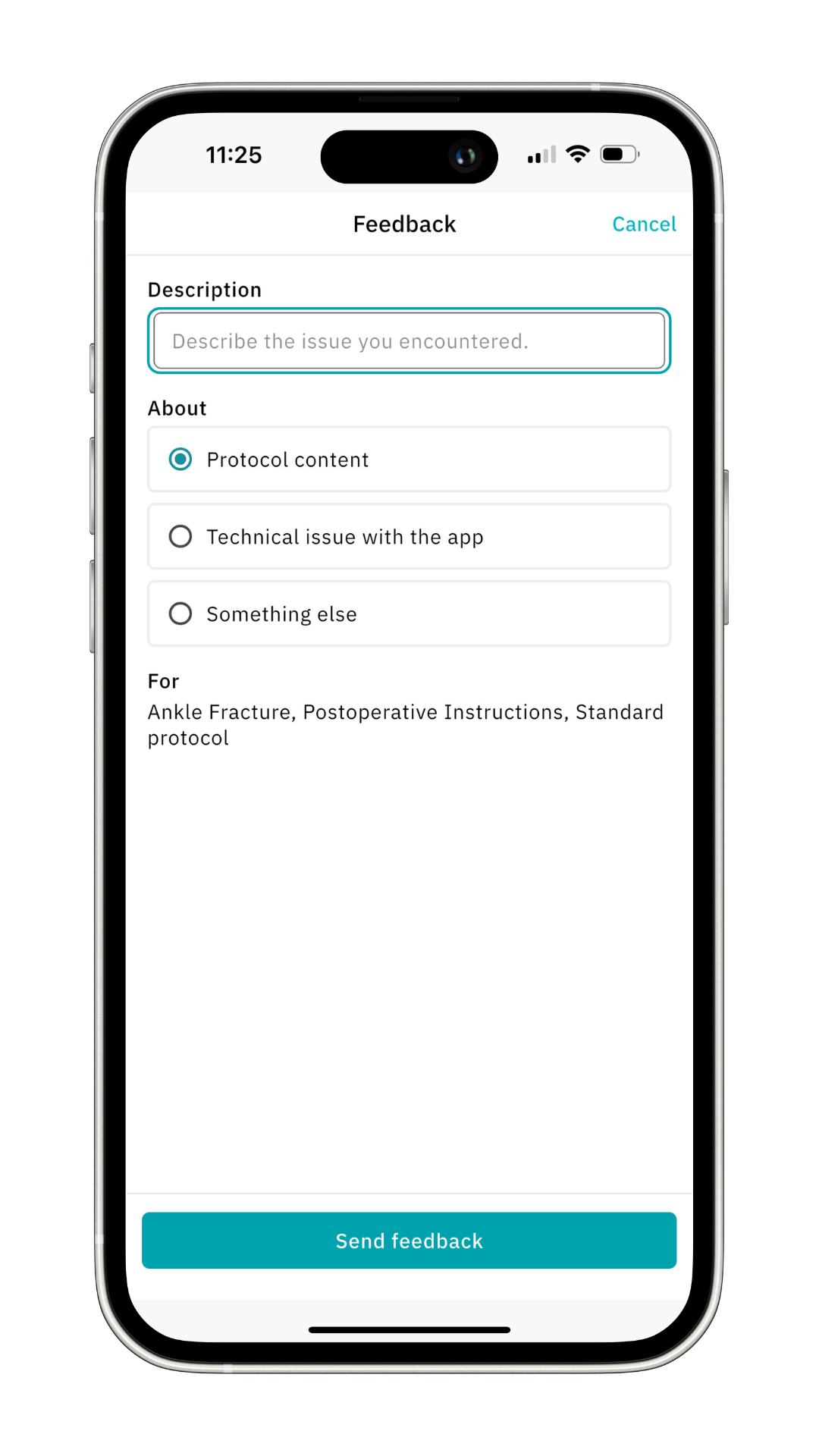 Your feedback will be sent to the person responsible for protocols at your hospital (for protocol changes) or to the Incision team (for technical issues and other feedback).
Why Your Feedback Matters
Your feedback is vital to the continuous improvement of the Incision Assist app. Whether you have suggestions for enhancements or encounter technical issues, sharing your insights helps us keep the app aligned with your needs. By keeping the app updated, you ensure that the most relevant and accurate information is always available to you, which is crucial for effective case preparation and execution.
Was this article helpful?
That’s Great!
Thank you for your feedback
Sorry! We couldn't be helpful
Thank you for your feedback
Feedback sent
We appreciate your effort and will try to fix the article